
×


Resize GIF Images Online
Scale your GIF photos by percentage or set exact pixel dimensions, right in your browser.
Powered by groupdocs.com and groupdocs.cloud.
By uploading your files or using our service you agree with our Terms of Service and Privacy Policy.
Over 28.8 million documents processed by GroupDocs apps since 2018
About the Resize Tool
Resize your GIF images online in seconds - scale them by percentage or set an exact pixel width and height. Our free tool works directly with GIF files and keeps full quality.
Upload your GIF image, choose a scale percentage or type exact dimensions, and preview the new size instantly. Add more GIF files to apply the same resize settings across your whole batch, then download every result together.
All GIF processing happens locally in your browser, so your files never leave your device. It is completely free, needs no signup, and works on any platform.
GIF Resize Tool in Action
Make a large GIF photo smaller for email, web or social media, keeping its proportions.
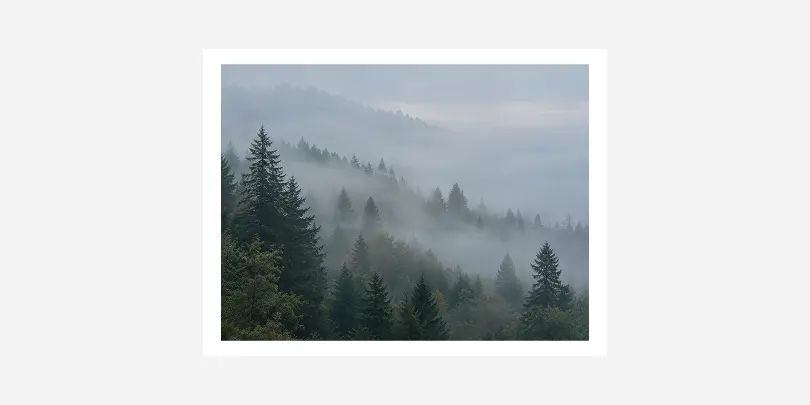 Before
Full-size GIF photo
The original GIF image, larger than you need.
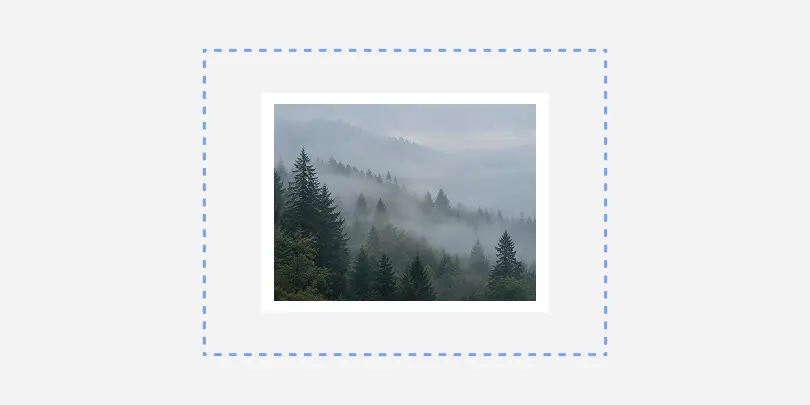 After
After
Resized smaller
The same GIF image at a smaller size, easy to upload and share.
Features
Resize App Features
- Completely free to use, with no signup, watermarks, or hidden limits.
- Resize up to 30 images at once and download every result in a single batch.
- Everything happens right in your browser when you resize an image - your photos are never uploaded to a server.
- Choose a quick scale percentage or type exact pixel dimensions for precise control.
- Never enlarges a small image beyond its original size, so you always keep sharp results.
- Animated GIFs stay animated - every frame is processed, with its timing and looping kept.
GIF
Graphical Interchange Format File
GIF (Graphical Interchange Format) stores bitmap images with lossless compression, supporting both static and animated graphics. Widely used for simple animations, memes, and icons on the web, GIFs offer transparency and a palette of up to 256 colors. Their small file size and broad browser compatibility make them ideal for lightweight, looping visuals without audio.
How it works
How to Resize an Image Online
Step 1
Upload the GIF image you want to process by dragging it into the box or clicking to browse your files.
Step 2
Choose a scale percentage or type exact pixel dimensions for your GIF image, then click the Process button.
Step 3
Download your processed GIF image instantly, or grab every result together if you process more than one file.
Tips
Get a Better Resize Result
Do
- Keep proportions on to avoid stretching.
- Pick a size that matches where the image will be used.
- Keep a copy of the original GIF file.
Avoid
- Changing width and height separately: faces and shapes get distorted.
- Shrinking the same image again and again.
- Starting from a low-quality copy: use the original file.
FAQ
Questions & Answers
-
How long does it take to resize a GIF image?Resizing a GIF image takes just a second or two in most cases, since everything runs locally in your browser's JavaScript engine rather than being sent to a server. Larger files or a full batch of images may take a little longer, but you'll see progress update live as each one finishes.
-
Is it safe to resize my photos here?Yes. Your images are processed entirely on your own device using your browser's built-in canvas and Web Worker features, and they are never uploaded to a server or stored anywhere online. Once you close or refresh the page, nothing about your photos remains on our side.
-
What browser should I use?Any modern browser works well, including Chrome, Firefox, Edge, and Safari on both desktop and mobile devices. The tool relies only on standard, widely supported browser features, so there is nothing extra to install, enable, or configure.
-
Can I make a GIF image bigger than its original size?The tool is designed to shrink images, not enlarge them - if you request a size larger than the original, it keeps the source size instead of stretching it. This avoids the blurry, pixelated look that comes from enlarging a small image.
-
What is the difference between scaling by percentage and resizing by pixels?Scaling by percentage shrinks each image in your batch relative to its own size, so a large photo and a small icon both shrink by the same proportion. Resizing by exact pixels applies the same target width and height to every image, fitting it inside that box or cropping to fill it, depending on whether you keep the original proportions.
More apps
Select a language
- العربية
- Български
- Català
- Čeština
- Dansk
- Deutsch
- Ελληνικά
-
English
- Español
- Eesti
- فارسی
- Suomi
- Français
- עברית
- हिन्दी
- Hrvatski
- Magyar
- Հայերեն
- Indonesia
- Italiano
- 日本語
- Ქართული
- Қазақ Тілі
- 한국어
- Lietuvių
- Latviešu
- Melayu
- Nederlands
- Polski
- Português
- Română
- Русский
- Slovenčina
- Slovenščina
- Svenska
- ไทย
- Türkçe
- Українська
- Tiếng Việt
- 中文(简体)
- 中文(繁體)