

Flip Images Online
Mirror any photo horizontally or vertically - fast, free, and processed right in your browser.
Powered by groupdocs.com and groupdocs.cloud.
By uploading your files or using our service you agree with our Terms of Service and Privacy Policy.

About the Flip Tool
Our online flip tool mirrors any image horizontally or vertically in seconds. Use it to correct a photo's orientation, create a mirrored effect, or fix text that was scanned backwards - all with a single click.
Upload your image, choose flip horizontal or flip vertical (or both), and preview the result before downloading. You can add more photos and apply the same flip to an entire batch at once.
Everything runs locally in your browser, so your images are never uploaded to a server and stay completely private. There is no software to install, no account needed, and it is free with no limits.
Flip Tool in Action
Turn an upside-down or mirrored photo the right way round in one click, with no loss of quality.
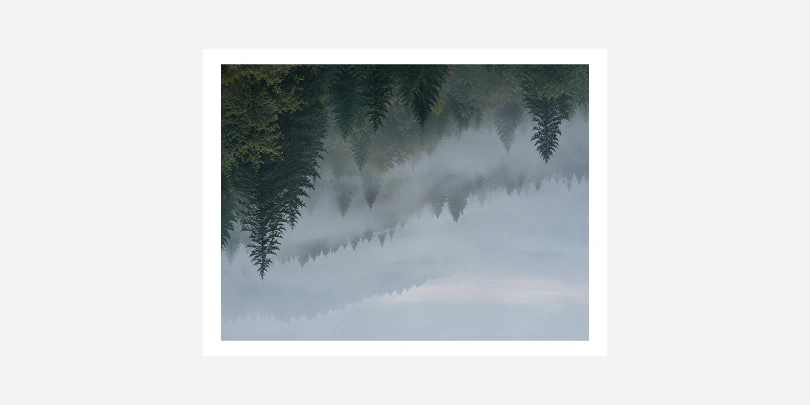 Before
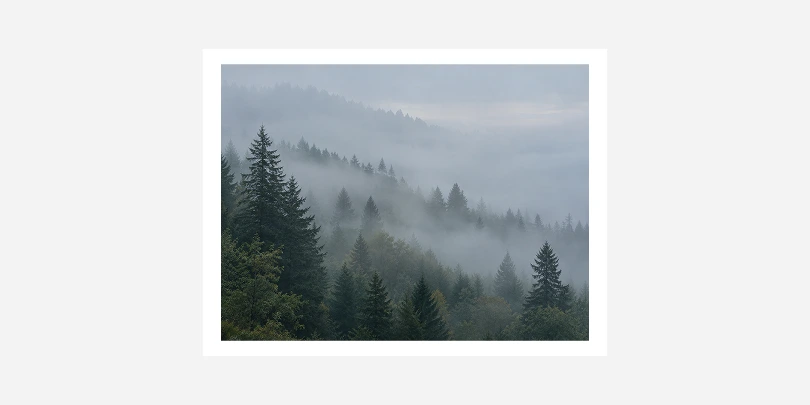 After
After
Flip App Features
- Completely free to use, with no signup, watermarks, or hidden limits.
- Flip up to 30 images at once and download every result in a single batch.
- Everything happens right in your browser when you flip an image - your photos are never uploaded to a server.
- Works with PNG, JPG, GIF, and WebP images, so you can flip almost any photo format.
- No installation needed - flip images instantly from any device with a modern browser.
- Animated GIFs stay animated - every frame is processed, with its timing and looping kept.
How to Flip an Image Online
Get a Better Flip Result
Do
- Check the preview before downloading.
- Flip horizontally to fix a mirrored selfie.
- Keep a copy of the original file.
Avoid
- Flipping images with text: it will read backwards.
- Flipping a sideways photo: use rotate instead.
- Starting from a low-quality copy: use the original file.
Questions & Answers
-
How long does it take to flip an image?Flipping an image takes just a second or two in most cases, since everything runs locally in your browser's JavaScript engine rather than being sent to a server. Larger files or a full batch of images may take a little longer, but you'll see progress update live as each one finishes.
-
Is it safe to flip my photos here?Yes. Your images are processed entirely on your own device using your browser's built-in canvas and Web Worker features, and they are never uploaded to a server or stored anywhere online. Once you close or refresh the page, nothing about your photos remains on our side.
-
What browser should I use?Any modern browser works well, including Chrome, Firefox, Edge, and Safari on both desktop and mobile devices. The tool relies only on standard, widely supported browser features, so there is nothing extra to install, enable, or configure.
-
Can I flip an image both horizontally and vertically at once?Yes, you can enable both flip horizontal and flip vertical at the same time, which produces the same result as rotating an image 180 degrees. The preview updates instantly as you toggle each option, so you can check the result before downloading anything.
-
Will flipping an image reduce its quality?No. Flipping only rearranges existing pixels - it does not resample, recompress, or discard any image data in the process. The output keeps the same dimensions, format, and quality as your original file, just mirrored.
Select a language
- العربية
- Български
- Català
- Čeština
- Dansk
- Deutsch
- Ελληνικά
-
English
- Español
- Eesti
- فارسی
- Suomi
- Français
- עברית
- हिन्दी
- Hrvatski
- Magyar
- Հայերեն
- Indonesia
- Italiano
- 日本語
- Ქართული
- Қазақ Тілі
- 한국어
- Lietuvių
- Latviešu
- Melayu
- Nederlands
- Polski
- Português
- Română
- Русский
- Slovenčina
- Slovenščina
- Svenska
- ไทย
- Türkçe
- Українська
- Tiếng Việt
- 中文(简体)
- 中文(繁體)